Architecture Overview
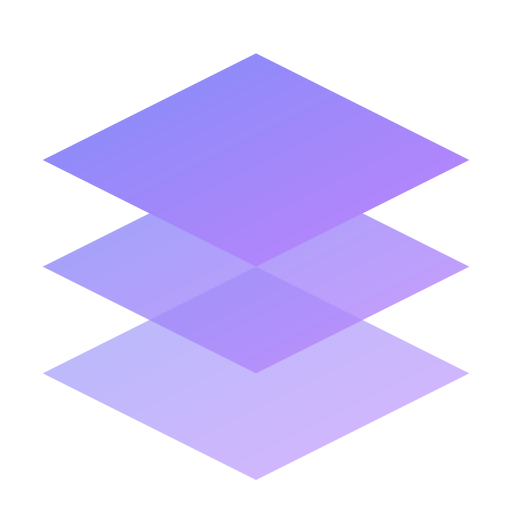
ObjectStack is not a monolithic framework. It is a composable ecosystem designed around a Layered Architecture. We call this the "ObjectStack Trinity."
Each layer is decoupled and communicates via standard JSON protocols. This allows you to swap out implementations (e.g., swapping the React renderer for a Flutter renderer) without breaking the rest of the stack.
The Trinity
1. The Data Layer: ObjectQL
"The Universal Protocol"
At the foundation lies ObjectQL. It is responsible for Data Definition and Data Access.
- Role: Defines Structure (Schema) and Intent (Query AST).
- Responsibility: It knows what a "Customer" object looks like, but it doesn't know who is accessing it or how it is displayed.
- Key Component: The Compiler. It takes an abstract query (
find customers where active = true) and translates it into optimized SQL for the specific underlying database (Postgres, SQLite, MySQL).
2. The Control Layer: ObjectOS
"The Business Kernel"
Sitting in the middle is ObjectOS. It is responsible for Orchestration and Governance.
- Role: Manages the Lifecycle of a request.
- Responsibility:
- Identity: "Who is this user?" (Authentication).
- Security: "Can they see this field?" (RBAC/ACL).
- Sync: "How do we merge these offline changes?" (Conflict Resolution).
- Process: "What happens after this record is saved?" (Workflows/Triggers).
- Key Concept: It acts as the gateway. No direct database access is allowed; everything must pass through the OS Kernel.
3. The View Layer: ObjectUI
"The Projection Engine"
At the top is ObjectUI. It is responsible for Interaction and Rendering.
- Role: Consumes the Protocol to render the Interface.
- Responsibility: It does not contain hardcoded forms. Instead, it asks ObjectQL: "What is the schema for a Customer?" and dynamically renders a layout based on that metadata.
- Key Concept: Server-Driven UI (SDUI). The backend dictates the layout, validation rules, and available actions. The frontend is merely a highly capable renderer.
The Request Lifecycle
To understand how these pieces fit together, let's trace a typical user interaction—for example, a Sales Rep updating a deal status while offline.
Step 1: Interaction (ObjectUI)
The user clicks "Mark as Won" in the UI.
- ObjectUI validates the input against the JSON Schema (loaded locally).
- It does not send an API request immediately. It writes the change to the Local Database (e.g., SQLite/RxDB).
- The UI updates instantly (0ms latency).
Step 2: Synchronization (ObjectOS Sync)
When the network is available, the Client pushes a "Mutation Packet" to the Server.
- ObjectOS receives the packet.
- It authenticates the session (
@objectos/auth). - It checks against the Audit Log for conflicts (e.g., did someone else edit this deal 5 minutes ago?).
- It runs any server-side Workflow logic (e.g., "If Deal > $10k, trigger Manager Approval").
Step 3: Compilation (ObjectQL)
Once ObjectOS approves the request, it passes the data operation to ObjectQL.
- ObjectQL receives the AST:
UPDATE Deals SET Status = 'Won' WHERE ID = '123'. - The Compiler translates this into the target dialect:
UPDATE "deals" SET "status" = 'Won'.... - The Driver executes the SQL against the master PostgreSQL database.
Deployment Topologies
Because the architecture is protocol-driven, it supports various deployment models depending on your infrastructure needs.
A. The Monolith (Default)
Ideal for small-to-medium enterprise apps.
- Frontend: React Single Page App (SPA).
- Backend: A single Node.js instance running ObjectOS + ObjectQL Core.
- Database: Single PostgreSQL instance.
B. Local-First / Edge
Ideal for field service apps, POS systems, and high-performance SaaS.
- Frontend: ObjectUI + Embedded ObjectQL (Wasm) + SQLite.
- Backend: ObjectOS running as a Sync Gateway (Stateless).
- Database: Distributed SQL or simple object storage for replication logs.
C. Microservices Federation
Ideal for large-scale enterprise integration.
- Multiple ObjectOS instances (CRM Service, ERP Service, HR Service).
- A centralized Gateway aggregates the ObjectQL schemas into a "Super Graph" (similar to GraphQL Federation).
- ObjectUI renders a unified dashboard by consuming the federated schema.